Get a linear history with rebase, but resolve all conflicts with the minimum effort like in merge.
This is a small, interactive Bash script for a classic Git pain: rebasing a long feature branch can force you to resolve conflicts across many commits, one by one. Sometimes total conflict scope is even larger than it would be in a merge.
This workflow offers a combined approach: you discover the complete conflict scope immediately, resolve all conflicts only once, and then let the rebase run mechanically while completely avoiding git rebase --continue stops. You still get a linear history, but with the conflict resolution style of a merge.
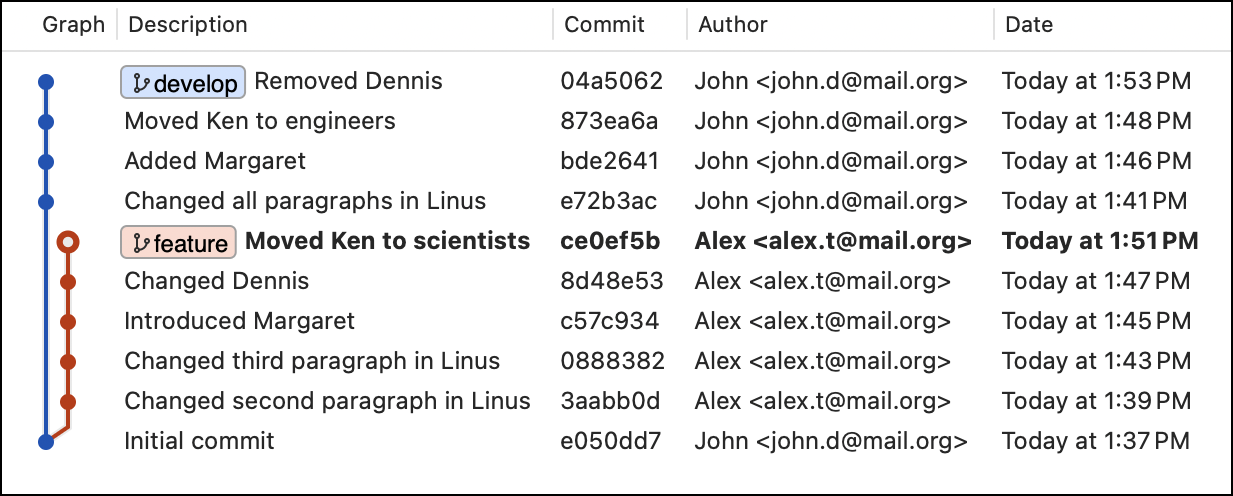
Here we need to rebase feature branch on develop and there are many conflicting changes. It's a demo repo you can find below.
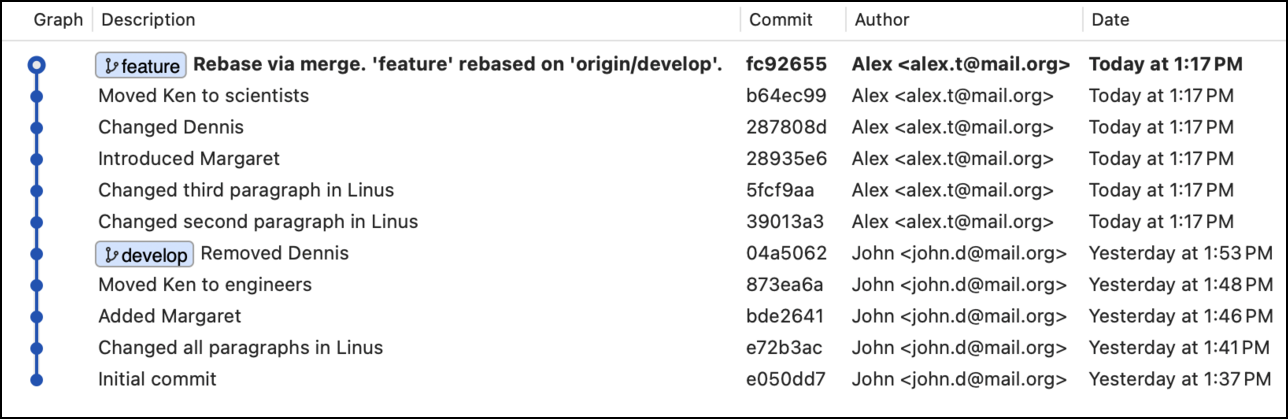
The script did a rebase after collapsing all conflicts in one-time manual resolution step.
Pros
- Keeps history intact, safe for shared feature branches.
- Conflict scope is minimal and you see it completely.
- You resolve all conflicts once.
Cons
- Adds a merge commit every time.
- Produces non-linear history.
- History can become complex and harder to read.
Pros
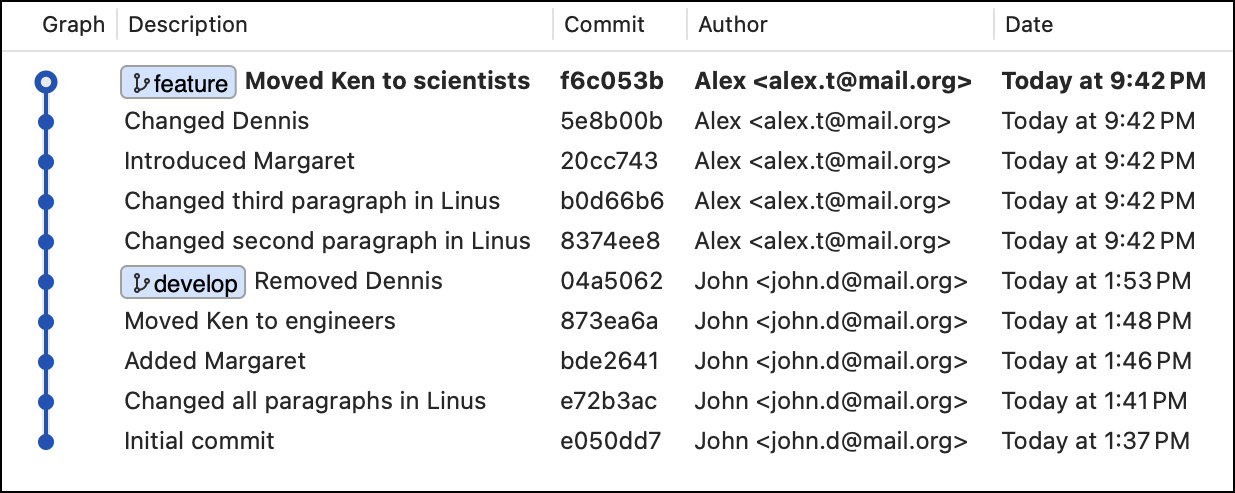
- Produces a clean, linear history.
- Reads like a straight story of changes.
Cons
- Resolving a number of independent conflicts across many commits, forcing a stop-and-fix loop.
- This can mean more total conflict resolution work than a merge.
- Rewrites history, not safe for shared work.
Pros
- You see all conflicts immediately, all at once.
- The conflict scope and resolution efforts are the minimum possible, just like in 'merge'.
- The rebase step is fully automatic, all conflicts are resolved mechanically.
- History is linear like with a standard 'rebase'.
Cons / trade-offs
- Intermediate commits may not be independently buildable (no manual per-commit resolution).
- Sometimes an additional commit is added when the automatic rebase step doesn't resolve conflicts exactly the way you did.
- Still rewrites history (same caveat as rebase).
Conceptually, the script does this:
- Shows you information about the branches, checks if rebasing is possible, and prompts you to continue.
- It starts a hidden merge from the base branch into your current branch (in detached HEAD).
- You resolve all conflicts there, only once, with full context.
- The script records the merge result snapshot.
- Rebases your branch on the base branch automatically, all conflicts are forced to resolve mechanically.
- At the end, it compares the rebased result with the merge snapshot.
- If needed, it creates one extra commit to make the rebased branch match the merge result exactly.
Important implications:
- If there are no conflicts, there is nothing to resolve at all.
- The final result is guaranteed to match your manual resolution result.
- All your unique changes are kept in the branch history.
- The script optimizes for minimum conflict resolution effort and final correctness, not for perfect intermediate commits.
Download the script and make it executable. Works on macOS / Linux / Windows (git-bash)
curl https://raw.githubusercontent.com/capslocky/git-rebase-via-merge/master/git-rebase-via-merge.sh -o ~/git-rebase-via-merge.sh

chmod +x ~/git-rebase-via-merge.sh
Just run:
~/git-rebase-via-merge.shInstead of:
git rebase origin/developYou can add a git alias:
git config --global alias.rvm '!bash ~/git-rebase-via-merge.sh'So it becomes just:
git rvmThe default base branch is origin/develop, but you can change it in the script or pass it dynamically:
git rvm origin/mainHere’s a small demo repo that shows the problem clearly. The develop and feature branches introduce different changes to the same files. There are two types of conflicts: content-only (Linus.txt, Margaret.txt) and file-level (Ken.txt, Dennis.txt).
| File | develop branch by John |
feature branch by Alex |
|---|---|---|
| Linus.txt | modified | modified |
| Margaret.txt | added | added |
| Ken.txt | moved to 'engineers' | moved to 'scientists' |
| Dennis.txt | deleted | modified |
If you do a regular rebase, it stops 5 times, and each time you need to fix the next conflict and proceed with git rebase --continue.
git checkout feature
git rebase develop
While using this approach, you will notice:
- All conflicts are handled once, in the beginning.
- Rebase proceeds automatically.
- Final history is linear.
- Final code matches your conflict resolution.
git checkout feature
~/git-rebase-via-merge.shThis workflow is not for everyone. You probably should not use it if:
- You require all intermediate commits to build.
- You cannot tolerate a rare additional commit (see the example). However, you can exclude it in 100% cases if needed.