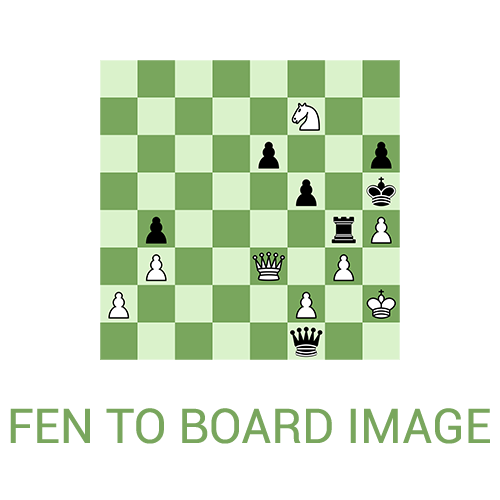
fentoboardimage takes a Fen string representing a Chess position, and renders a PIL image of the resulting position.
Examples can be found under the examples folder in this repository.
- the size and color of the board
- piece sprites
- black or white perspective
- Board highlighting for last move
- Arrows
Install the package using pip
$ pip install fentoboardimage
Then import the functions and use them as follows:
from fentoboardimage import fen_to_image, load_pieces_folder

board = fen_to_image(
    fen="rnbqkbnr/pppppppp/8/8/8/8/PPPPPPPP/RNBQKBNR w KQkq - 0 1",
    square_length=100,
    piece_set=load_pieces_folder("./pieces"),
    dark_color="#D18B47",
    light_color="#FFCE9E"
)
board.save("board.png")All asset paths are relative to your current working directory (where you run your script).
your_project/
├── main.py
└── pieces/           # Path: "pieces" or "./pieces"
    ├── white/
    │   ├── King.png
    │   ├── Queen.png
    │   ├── Rook.png
    │   ├── Bishop.png
    │   ├── Knight.png
    │   └── Pawn.png
    └── black/
        ├── King.png
        ├── Queen.png
        ├── Rook.png
        ├── Bishop.png
        ├── Knight.png
        └── Pawn.png
arrows/
├── Knight.png    # L-shaped arrow (3:2 ratio, points bottom-right → top-left)
└── Up.png        # Straight arrow (1:3 ratio, points upward, 3 sections: head/body/tail)
See the documentation for detailed arrow sprite specifications.
For scripts that may run from different directories, use __file__ to resolve paths relative to your script:
import os

script_dir = os.path.dirname(os.path.abspath(__file__))
pieces_path = os.path.join(script_dir, "pieces")

piece_set = load_pieces_folder(pieces_path)| Parameter | Type | Description |
|---|---|---|
fen |
str |
FEN string representing the position |
square_length |
int |
Length of one square in pixels (board = 8 × square_length) |
piece_set |
Callable |
Piece set loaded via load_pieces_folder() |
dark_color |
str |
Hex color for dark squares (e.g., "#D18B47") |
light_color |
str |
Hex color for light squares (e.g., "#FFCE9E") |
flipped |
bool |
Render from black's perspective (default: False) |
arrow_set |
Callable |
Arrow set loaded via load_arrows_folder() (optional) |
arrows |
list |
List of [start, end] squares, e.g., [["e2", "e4"]] (optional) |
last_move |
dict |
Highlight last move with before, after, darkColor, lightColor keys (optional) |
coordinates |
dict |
Display coordinates with font, size, dark_color, light_color, position_fn keys (optional) |
Loads piece images from a folder. Returns a callable for use with piece_set.
Loads arrow sprites from a folder. Returns a callable for use with arrow_set.
Loads a TrueType font for coordinates. Returns a callable that accepts font size.
This project uses UV for dependency management.
Install UV (if not already installed):
curl -LsSf https://astral.sh/uv/install.sh | shClone the repository and install dependencies:
git clone https://github.com/reedkrawiec/fenToBoardImage.git
cd fenToBoardImage
uv sync# Run all tests
uv run pytest
# Run with verbose output
uv run pytest -v
# Run specific test file
uv run pytest test/test_unit.py
# Run specific test class
uv run pytest test/test_unit.py::TestFenParserThis project uses Black for code formatting:
# Format all Python files
uv run black .

# Check formatting without making changes
uv run black --check .Build the documentation locally:
# Build static site
uv run mkdocs build

# Serve locally with live reload
uv run mkdocs serve
The documentation will be available at http://127.0.0.1:8000/.